3D Truck & Container Loading
Smart Packer:
AR Cargo Planner
Professional-grade 3D loading calculator designed for logistics dispatchers, freight forwarders, and exporters. Scan cargo data, optimize every inch of space, export polished PDF reports, and share complete loading plans offline.

Offline-first • Zero Ads • 5 Free Trials
Changelog & Updates
- Cargo Library Sorting: Sort cargo by name, added time, weight, volume, or quantity for faster library management.
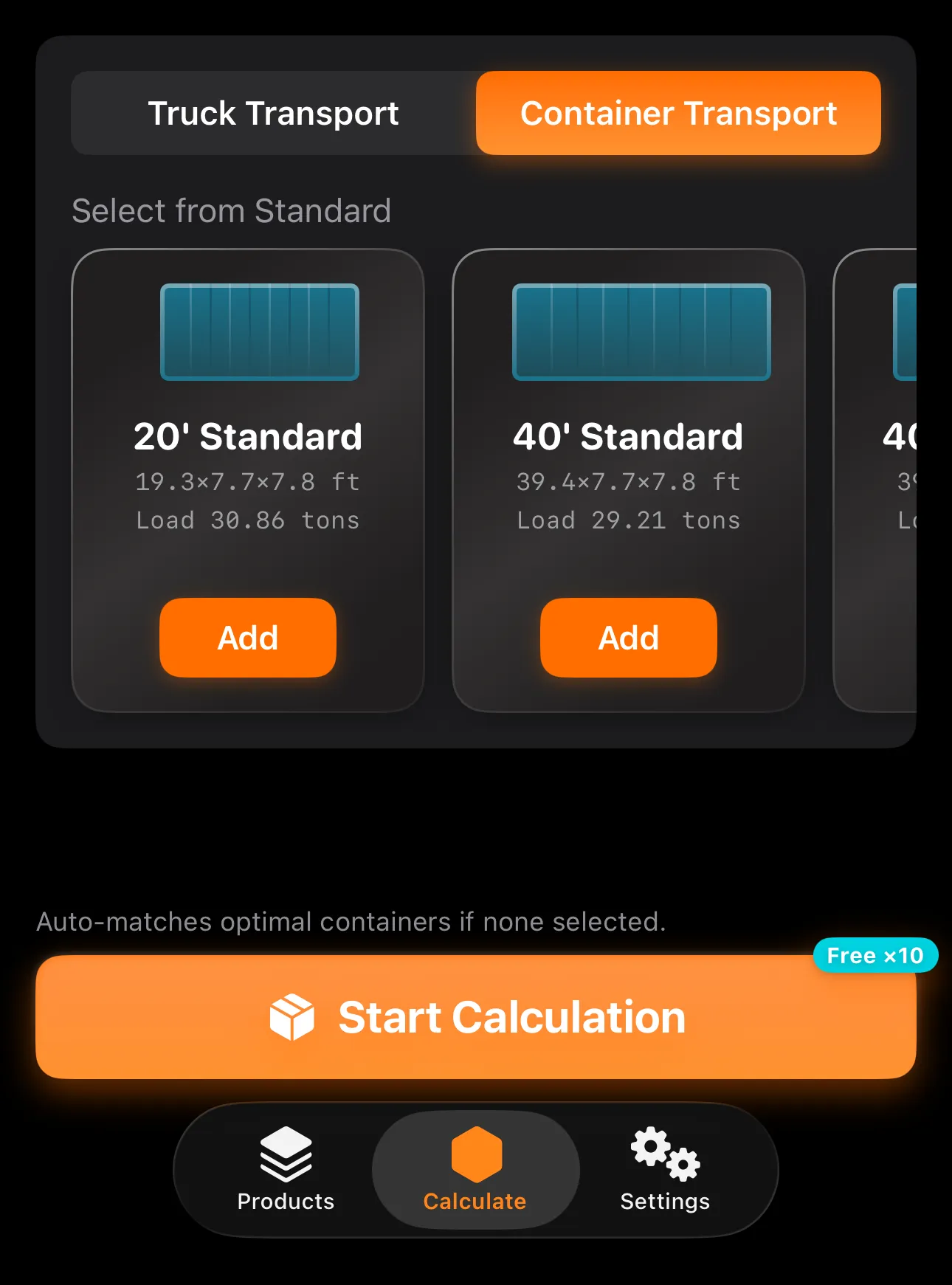
- Custom Containers: Create container profiles that match your real shipping scenarios.
- 3D Box Borders: Toggle cargo carton outlines in 3D results to make item boundaries easier to read.
- Android-Compatible Offline Files: .smartpacker files can now be shared across iOS and Android, including files exported from Android users.
- Algorithm Upgrade: Fully upgraded packing and vehicle dispatch algorithms to improve fill rate, loading stability, and vehicle configuration accuracy for complex orders.
- Playback Speed Control: Choose 1x, 0.5x, or 0.2x animation speed on the 3D packing details page.
- Render Quality Selection: Switch 3D render quality directly from the packing details page.
- Higher Quantity Limit: Single cargo SKU quantity limit increased from 1,999 to 4,999 items.
- Cleaner CSV Preview: Delete extra rows during CSV batch import preview before importing cargo.
- 3D Placement Scoring: Optimized candidate-position scoring so same-layer loading prioritizes flat placement and reduces unnecessary side or upright rotation in narrow fragmented spaces.
- Offline Plan Sharing: Export a .smartpacker file so recipients can open and view the full 3D loading plan in Smart Packer on iPhone or iPad.
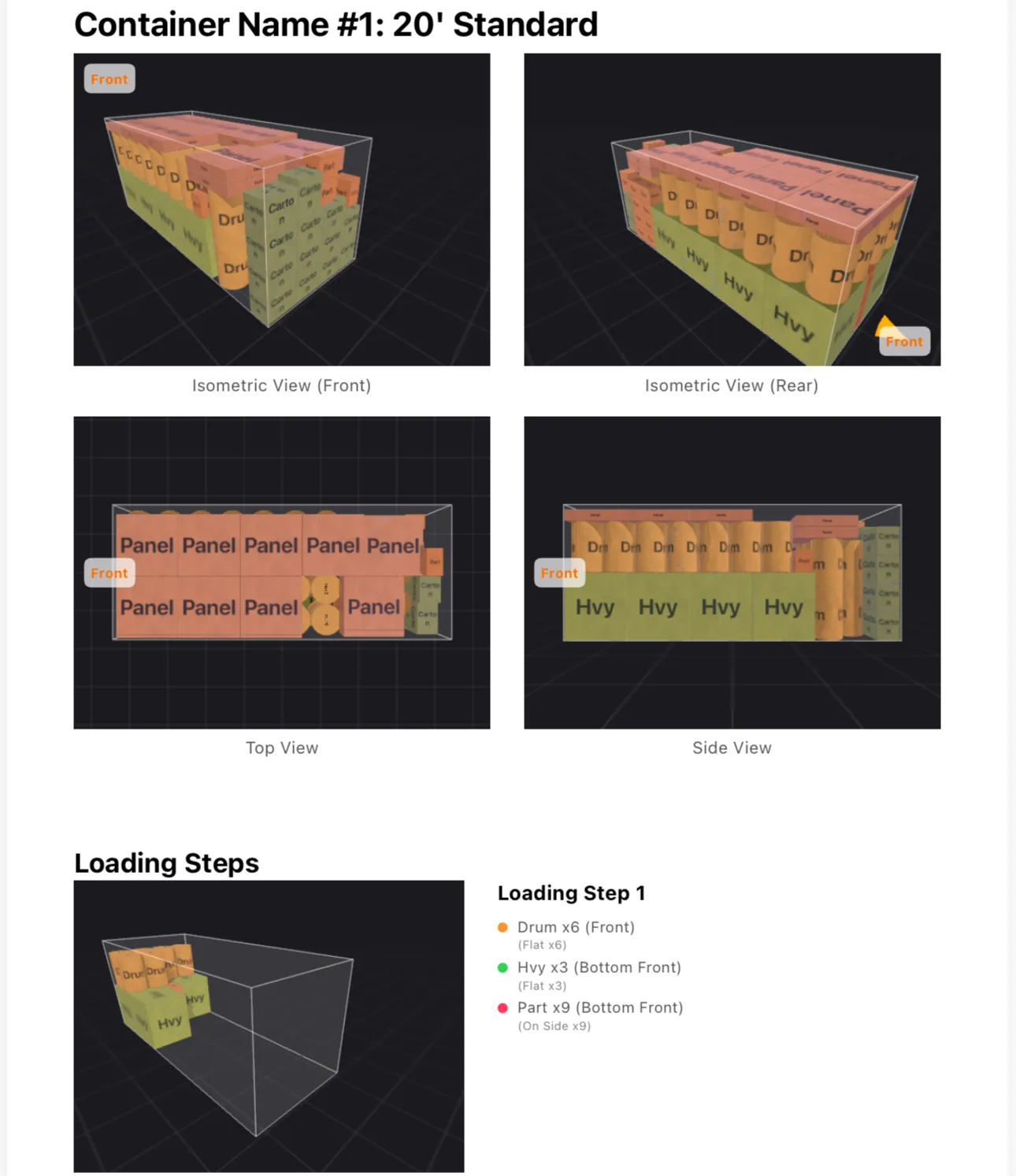
- Sharper PDF Diagrams: Improved exported loading diagrams with clearer 3D snapshots and closer framing.
- Document Table Scanning: Extract tables instantly via camera or photos to drastically reduce data entry time. Requires iOS 26.0 or later; on earlier versions, use clipboard paste or CSV import.
- Project Folder Management: Upgraded cargo library architecture with project folders, where items are managed independently within each folder.
- History Remarks: Loading plan remarks are now displayed directly in the history list for easier review.
- Smart Batch Import: Added smart batch import for cargo. Allows pasting tables from the clipboard or importing CSV files. Supports smart matching and validation of headers across various input formats, saving the hassle of entering items individually.
- Batch Deletion: The cargo library now supports batch deletion in edit mode.
- Memory Optimization: Optimized memory usage during PDF export for large vehicle plans, completely resolving crashes when handling massive amounts of data.
- Backward Compatibility: Resolved an issue where newly added "step-deck/gooseneck" truck parameters caused some older historical loading records to display as "0 cargo items". Historical data and space utilization have now been restored to normal display.
- Limit Expansion: Expanded the cargo width limit to 13.1' (4m) and the height limit to 16.4' (5m).
- Custom Fleet: Added detailed explanations for step height and length when customizing step-deck trucks.
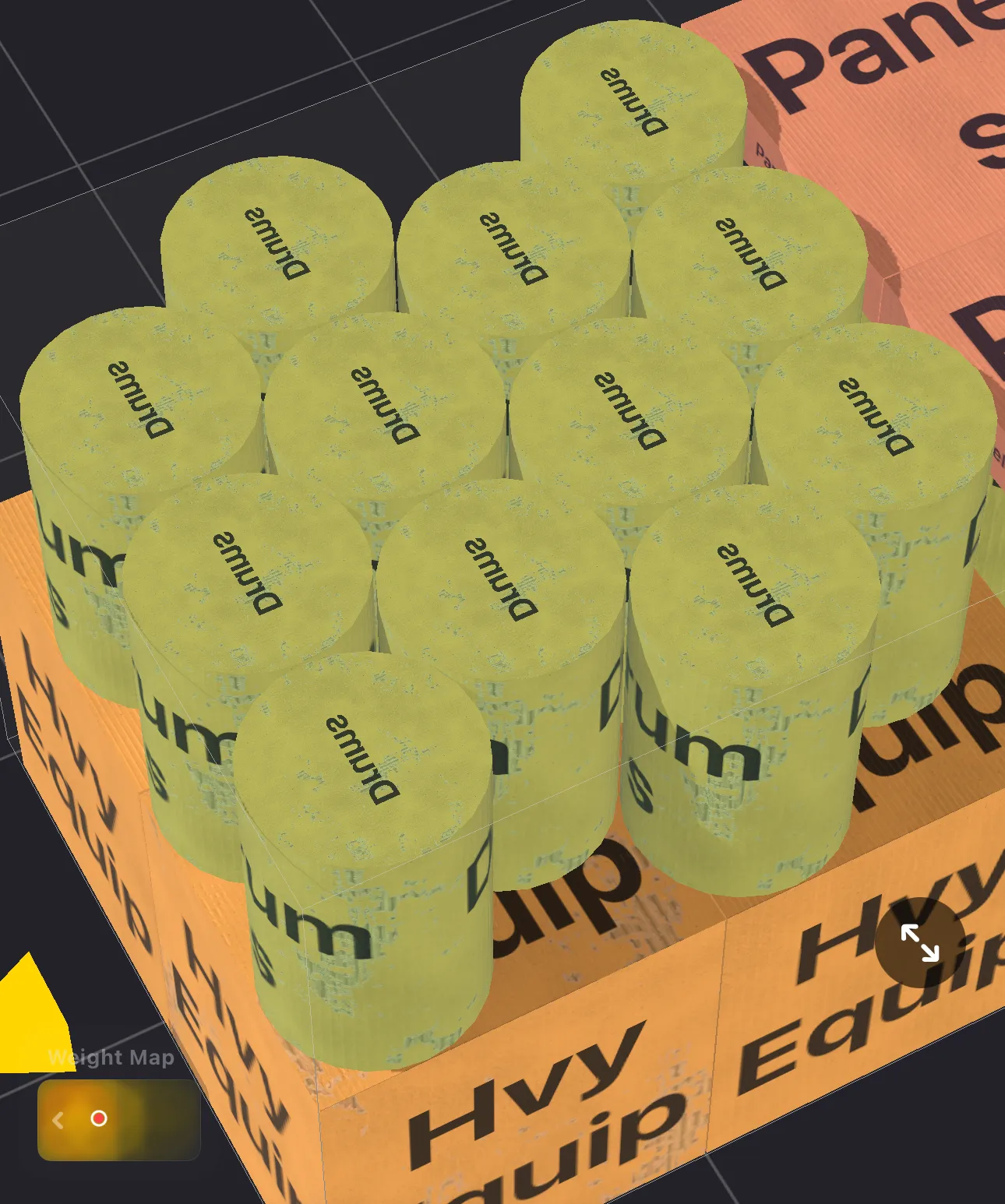
- 3D Visualization: Real-time dimension labels are now displayed directly on the step deck in the 3D packing scene.
- Standard Library: Changed the step deck length of the 57' Flatbed from 12.5' to 13.8'.
- Custom Vehicles: Added support for configuring gooseneck/step-deck dimensions for custom vehicles, perfectly simulating flatbed trailers.
- Validation Logic: Enhanced validation logic for extreme cargo dimensions and weights to prevent calculation errors and improve stability.
- Oversized Support: Relaxed the maximum width and height limits for custom vehicles to better support oversized cargo and special flatbed trailer calculations.
- iCloud Sync: Automatically sync your cargo library, pending items, custom fleets, and packing history across all your Apple devices.
- UI Improvements: Optimized screen transitions and auto-navigation when adding vehicles or containers for a smoother experience.
- Algorithm Optimization: Optimized the height constraints during block loading placement to provide more accurate packing results.
- Bug Fixes: Fixed some known issues to improve overall app stability and performance.
- PDF Reports: Item lists now strictly follow the actual loading sequence.
- Performance: Added "Render Quality" settings (High/Medium/Low) to prevent lag and crashes on older devices.
- AR Measurement: Fixed non-LiDAR 0 height bug; smoother recognition.
- Plan Management: Added custom naming for plans.
- Packing Strategy: Added "Wall-Building" (bottom-to-top, front-to-back).
- Cargo Library: Select items from library directly.
- PDF & Notes: Add notes synced to PDF. Floor space info added.
- AR Camera Scanner: Measure via camera.
- Upgraded Free Trials: Increased from 5 to 10.
- 3D & Input UX: Improved rotation, reset camera.
- New: Smart Gravity Balance.
- New: Deformation Tolerance.
Pure, Fast, Secure Tool
Built for focused logistics work: zero ads, clear data boundaries, and no advertising trackers.
Lifetime Buyout Model
New users get 5 free calculation trials (PDF export requires Pro) and 20 free AR data inputs. Repeating calculations won't consume quota. Once satisfied, a single one-time payment unlocks the Pro version forever.
Business data stays on device; iOS sync uses your private iCloud.
Supports independent payment, license checks, backup, and restore.
Built for Complex Logistics
Industrial computing power directly in your pocket.
Industrial-Grade Algorithm
AR Camera Scanner
Ditch the tape measure. Point your camera to detect L×W×H.
Document Table Scanning
Extract cargo tables from camera or photos, then review structured rows before import. Available on iOS 26.0 or later.
Cross-Platform Offline Plans
- .smartpacker files: Share complete loading plans without cloud accounts.
- iOS + Android: Open offline files across both platforms.
- Offline by design: Keep project data local.
Custom Containers & Cargo Sorting
Create container profiles and sort cargo by name, added time, weight, volume, or quantity for faster planning.
Professional Reports
One-tap PDF Export: Generate comprehensive reports featuring sharper, closer-framed 3D loading diagrams, stats, and manifests.
Detailed analysis of volume utilization and weight distribution insights.